 instapro.club
Media downloading
Saves photos, videos, reels and stories to your gallery from inside the app. Only save content you have permission to keep.
Free for Android · Version 15.95
This page covers the latest version of Insta Pro APK: what version 15.95 is, its file details, how to check which version you have, how to install or update it and how to fix common problems. If you have not read it yet, start with the safety guide. Some websites spell the name InstaPro, but it is the same app.
Unofficial software. Insta Pro is not made by Instagram or Meta and using it can break Instagram's Terms of Use. Use a secondary account and install at your own risk.
| App name | Insta Pro APK |
|---|---|
| Version | 15.95 |
| Package name | com.instapro2 |
| Instagram base (reported) | 439.0.0.38.89 |
| File size | About 77 MB to 172 MB, depending on the build |
| Last updated | November 2026 |
| Platform | Android phones and tablets |
| Requires | Android 6.0 and up, no root needed |
| Developer | SamMods (third party, not Instagram or Meta) |
| Price | Free |
Before installing, scan the downloaded file with an antivirus app.
At the time of writing (November 2026), the version listed on this page is Insta Pro 15.95. It is a third-party Android APK made by SamMods that adds media downloading, privacy controls and visual customisation to the standard Instagram experience. It is not made or supported by Instagram or Meta.
It is reported to be built on Instagram base version 439.0.0.38.89 and is commonly distributed under the package name com.instapro2. Because a modified app follows the official one, a newer build can appear at any time, so check this page again before you update.
Version numbers can be confusing. Insta Pro's own number (15.95) is not the same as the Instagram base version it is built on. Some websites mix the two up, or add a future year to a file name to look newer, so always compare the number in the file details table above.
These are the features this build is advertised to include. They can differ between builds, and none of them is guaranteed to keep working after Instagram changes its app.
Saves photos, videos, reels and stories to your gallery from inside the app. Only save content you have permission to keep.
Options such as hiding the "seen" signal on stories or messages are advertised. How well they work depends on the build and can break when Instagram changes how its servers behave.
Change colours, fonts and icon styles beyond the standard light and dark modes.
Under its own package name (com.instapro2) it commonly installs separately, so you can keep the official app on the same phone.
| Area | Latest build (15.95) | Older builds |
|---|---|---|
| Matching Instagram | Newest build, more likely to match what Instagram's servers expect | More likely to hit login errors or "action blocked" after Instagram changes |
| Bug fixes | Includes the fixes the developer has released so far | May still have known bugs and crashes |
| Features | Full feature set of the current build | Some features may be missing or broken |
| Updating | Nothing to do until a newer build appears | Install the new APK over the old app |
| Risk | Still unofficial: the same account and privacy risks apply | The same risks, plus no new fixes |
Make sure you are looking at Insta Pro and not the official Instagram app. The two have different names and version numbers.
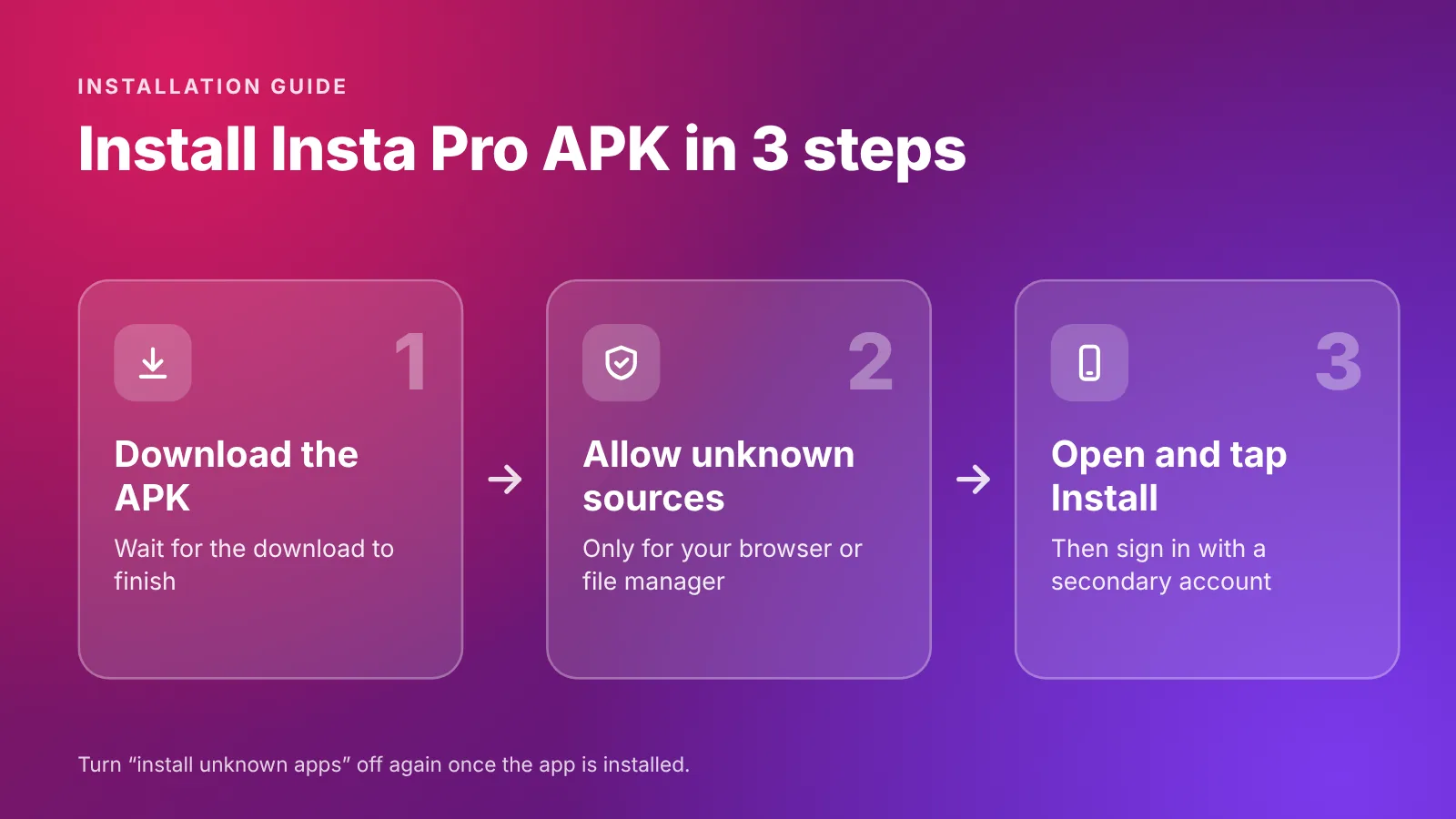
Tap the download button at the top of this page and wait until the download finishes completely. An unfinished file is the most common cause of the "App not installed" error.
Go to Settings → Apps → Special app access → Install unknown apps. Choose the browser or file manager you used and switch on Allow from this source. The wording differs by phone brand and Android version.
Open your Downloads folder, tap the APK file and press Install. If Google Play Protect shows a warning, read it carefully. Continue only if your scan was clean.
Open the app and sign in with your secondary account. Turn on two-factor authentication for that account if you have not already.
Return to the Install unknown apps setting and disable it for your browser or file manager, so other files cannot be installed by accident.
Want the full walkthrough with more detail? See the Insta Pro APK download page.
Insta Pro does not update by itself, so you have to install each new build yourself.
Searches for the latest version attract a lot of copycat pages. Watch for these warning signs:
| Problem | Likely cause | What to try |
|---|---|---|
| "App not installed" when updating | The old build was signed differently, or the download is incomplete | Uninstall the old Insta Pro, download the file again and install it |
| Login failed after updating | The session expired, or Instagram flagged the new login | Switch networks, wait a few hours and check your email for security prompts |
| App crashes after the update | Old data conflicts with the new build | Clear the cache in Settings → Apps → Insta Pro → Storage, then clear data and sign in again |
| A feature is missing | The feature is not in this build, or Instagram changed something | Check your version and reinstall. Features differ between builds |
| Still shows the old version | The install did not finish, or you opened a different copy | Check the version in the app info page and install the newest APK again |
| Download will not start | Low storage or a browser restriction | Free up space, allow downloads in your browser or try another browser |
No modified app can honestly be called "100% safe". The newest build fixes bugs but it is still unofficial, and you give it your login details, so the real question is how much you trust the exact file you install.
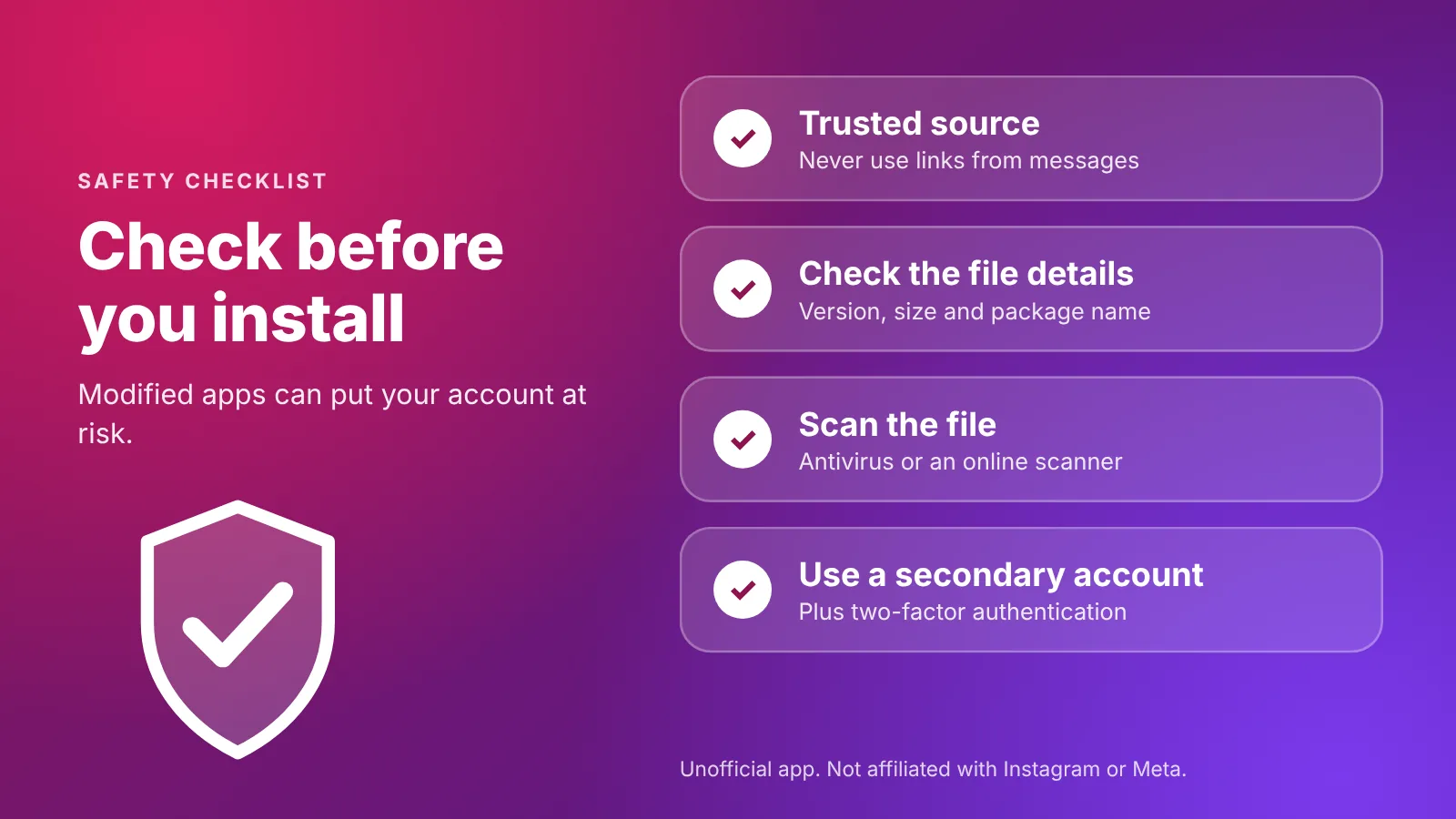
To lower the risk, scan the file, use a secondary account, set a password you use nowhere else and turn on two-factor authentication.
At the time of writing, the version on this page is 15.95, listed in the file details above. A newer build may appear later, so check the version number before you download.
Yes, the APK is free to download. Be careful with any site that asks for payment, surveys or personal details before giving you the file.
No modified app can be called completely safe. Insta Pro is unofficial, it can put your account at risk and its safety depends on the exact file you install. Scan the file before installing and use a secondary account.
Insta Pro does not update by itself. Download the new APK, install it over the old app and sign in again. If Android says the app is not installed, uninstall the old build first and then install the new one.
Usually not. Installing over the old build keeps your data when the package name and signing key match. Uninstall first only if the update fails.
Yes, in most cases. Version 15.95 is commonly distributed under its own package name (com.instapro2), so it installs next to the official Instagram app instead of replacing it.
It needs Android 6.0 or higher. Root is not required.
The install may not have finished, or you may have opened a different copy of the app. Open Settings, Apps, Insta Pro and App info to see the installed version, then install the newest APK again.
Not sure yet? Read what Insta Pro is, what its features do and what the risks are before you download.